Transfers between accounts
Pulled cash from your card, topped up savings, sent money to an exchange? Those are transfers. They're not income or an expense — they just shuffle money between your own accounts.
How to make a transfer
- Tap + → "New operation" and enter the amount.
- Up top, switch to "Transfer".
- Pick the "From" account and the "To" account. The little arrow between the amounts swaps the accounts.
- Save. One account goes down, the other goes up.
Transfer in another currency
If the accounts are in different currencies, Pigles converts the second amount when you pick the "To" account and shows you both numbers — what left and what landed. The rate sits right under the amounts, and you can tweak it by changing the second amount. If there's no rate, the second amount just repeats the first. If you change the amount later, pick the "To" account again — otherwise the second one won't recalculate.
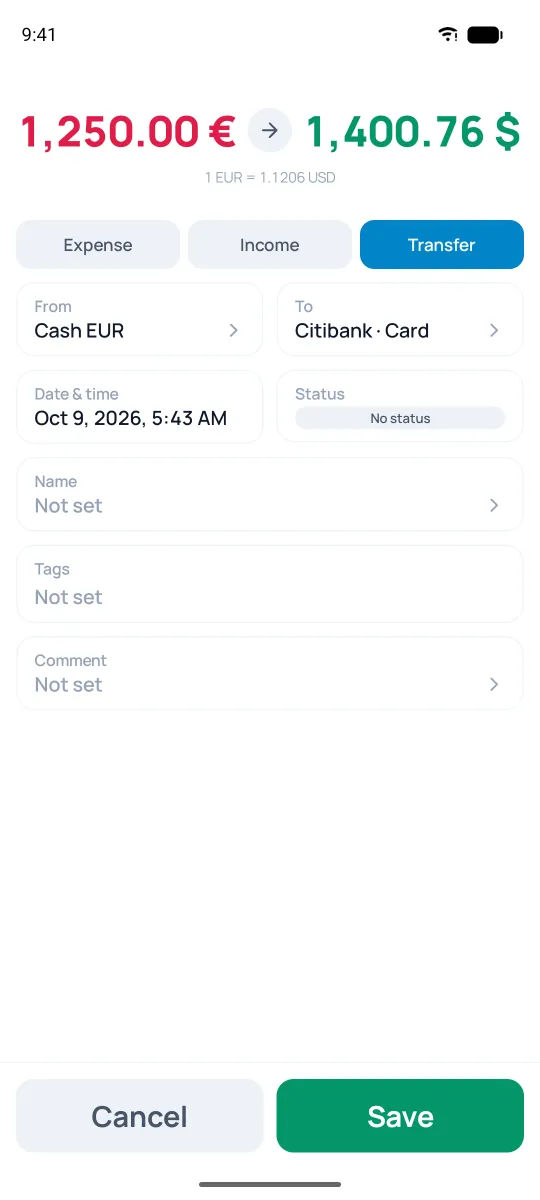
In the example above, €1,250.00 becomes $1,400.76 at a rate of 1 EUR = 1.1206 USD — that's the rate the app pulled from our server. If your bank actually gave you exactly $1,400 for that €1,250, just tap the second amount and enter what landed: the rate recalculates itself, and your second account's balance stays correct. Same thing works for transfers between cash currencies; for crypto without a subscription, Pigles uses your own rate (see the "Currencies" section).
Purchase in another currency
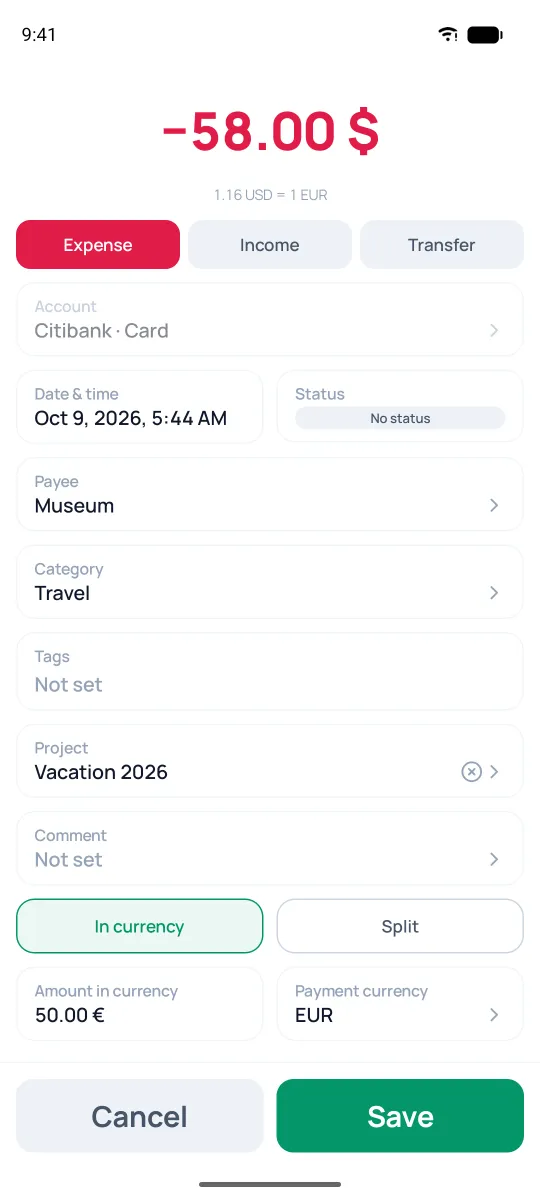
Paid abroad with a card in dollars, but the price was in euros? Record an expense from the dollar account and add the purchase price to it.
- Tap + → "New operation" and enter the amount that was charged to the card.
- At the bottom of the form, turn on "In currency".
- In the "Amount in currency" field, enter the purchase price, say €50.
- In the "Payment currency" field, pick the one you need. At the top of the list is "Recent" — currencies you've already paid in.
The account gets charged the amount in dollars, the purchase price is saved in the transaction, and Pigles works out the exchange rate itself — it's shown under the amount.