
Currencies
Pigles works with any currency — regular money (fiat), crypto, precious metals, even loyalty points or an in-game currency. Fiat rates update automatically via our server, crypto with a subscription, and any rate can be set by hand.
The "Currencies" screen
Here's your list of currencies with their current rates against the main one. The main currency is marked green — the total across your accounts is counted in it. That's why the main currency has to be fiat. The "Update exchange rates" button pulls fresh data, and the "Auto-update rates" toggle does it for you.
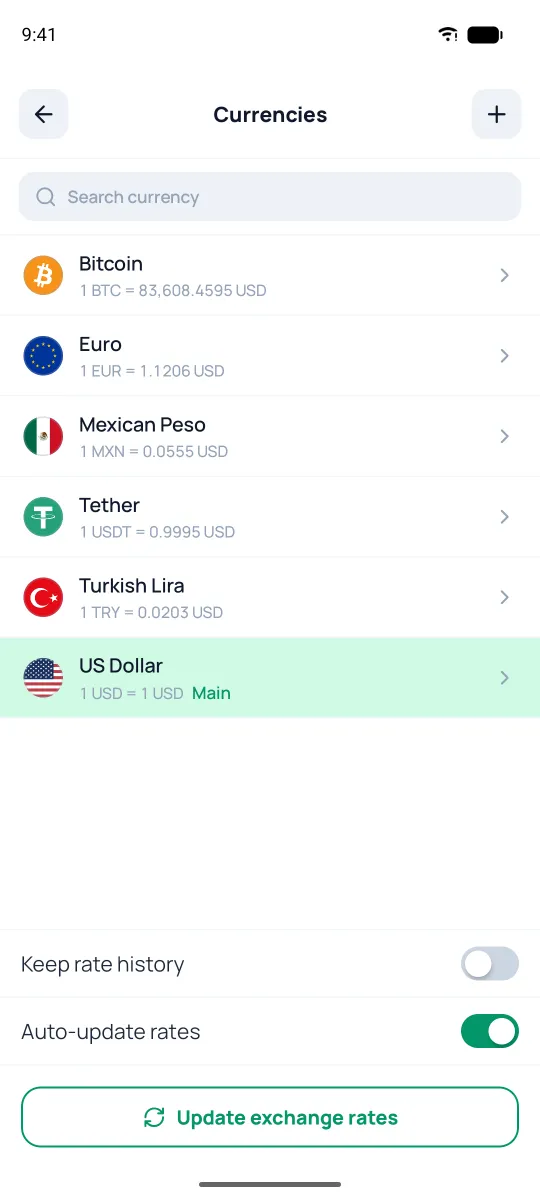
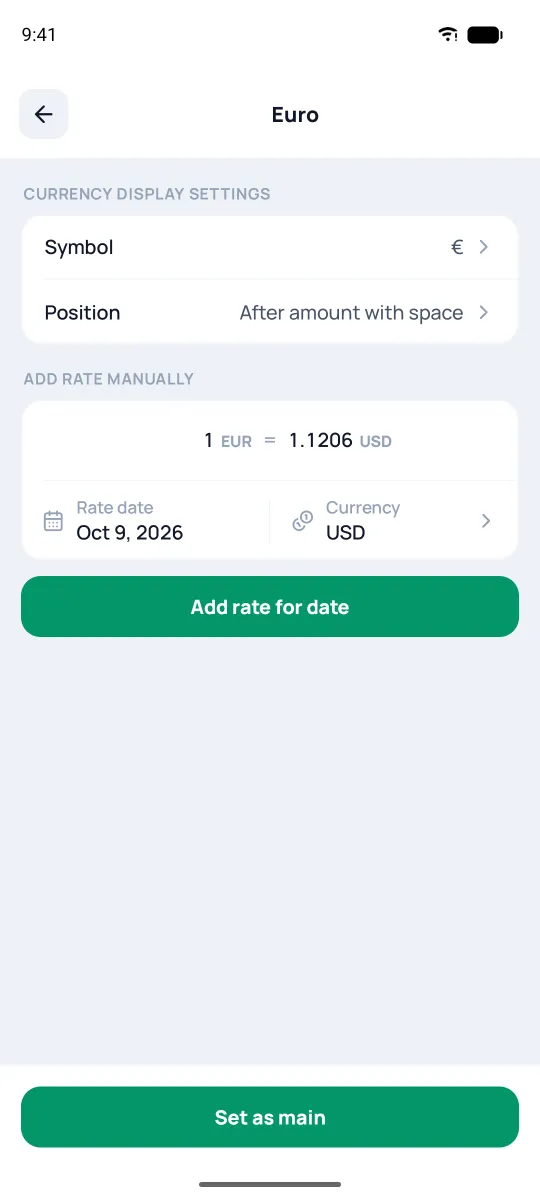
You can change the main currency on the currency's screen — with the "Set as main" button at the bottom. Only fiat has it: you can't make bitcoin or gold the main currency.
Add your own currency
Tap +, enter the code (ticker), a name, and a type — for points or an in-game currency, "Custom" will do. That's also how you add a rare coin the app doesn't know — you just set its rate yourself. A known currency — euro, bitcoin, Tether — can't be added this way: it shows up in the list on its own as soon as you create an account in it.
Manual rate & history
Tap a currency to open its settings: symbol, symbol position (before or after the amount), and — for custom currencies — the number of decimals.
Below that is "Add rate manually": handy for pinning the rate you bought crypto or a rare currency at. Enter what one unit of the currency costs and tap "Add rate for date"; on the right, in the "Currency" row, you can pick another currency instead of the main one. If a fresher rate loads, that one will apply, but the app never erases your manual rates.
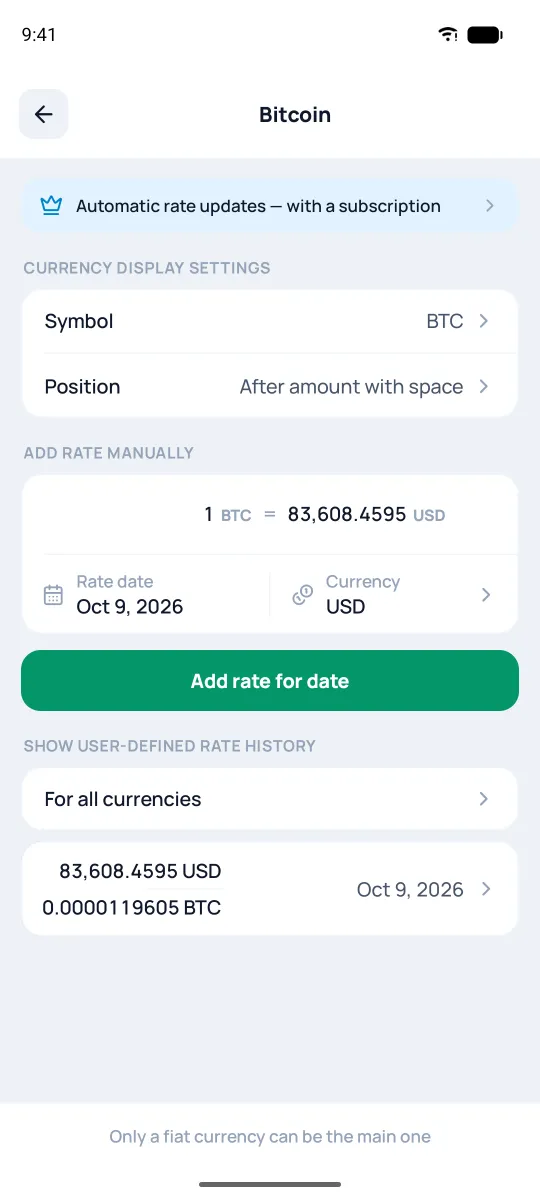
Under the button is the history of your rates: swiping a row right shows the delete icon, and tapping a row opens its form.
The "Keep rate history" toggle holds onto previously downloaded rates instead of replacing them with new ones — so reports for past periods come out more accurate (it's off by default, to keep the database from growing). The history builds up from the moment you turn it on, only for currencies you have accounts in; turning it off deletes it — the app will warn you.