
Currency calculator
Need to quickly figure out what something is in dollars, euros, or bitcoin? The currency calculator converts an amount into all your chosen currencies at once, at current rates.
How to use it
- Open "Currency calculator" from the menu.
- Tap the amount in any row to open the calculator; after "Insert", the rest recalculate. The top tile is the base: the others' rates are shown relative to it, and it already holds 1 — so the rate per unit is visible right away.
- The + button adds a currency right under the base one (there are "Fiat" and "Crypto" sections); drag by the ⋮⋮ handle to reorder, and a tile dragged onto the base one becomes the base itself — let go when the base tile highlights; swipe a row right to show the delete icon, and tap it to remove the currency.
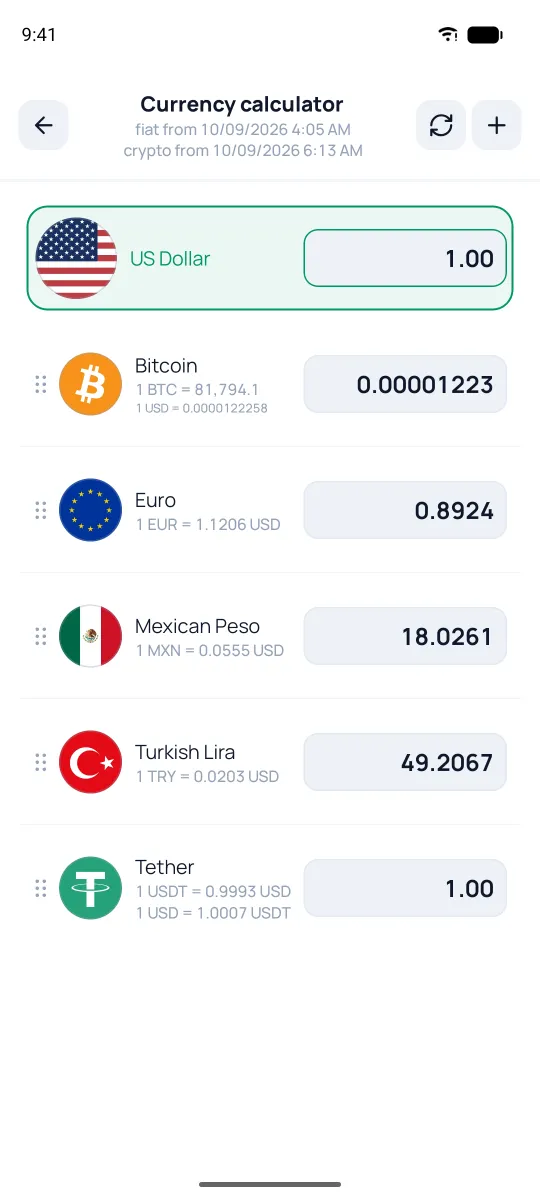
Each currency shows its rate, and up top you'll see when the fiat and crypto data was loaded. The ⟳ icon updates rates by hand.
The calculator uses the same rates as the rest of the app — including your own currencies and manual rates (see the Currencies section). Fresh crypto rates come with a subscription; without one, the last known rate stays, and ⟳ won't update it. If there's no rate for a pair, the tile just says so — "No rate set" — instead of guessing. Amounts you type aren't saved — after a restart they're gone; it's just a scratchpad for quick math, but the set and order of currencies stay.